 Browser extension for Safari and Chrome
Pause before you scroll
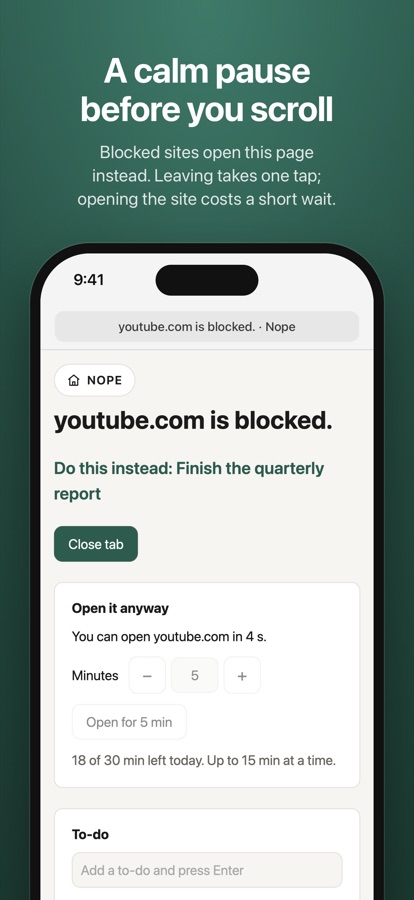
Nope puts a calm pause page in front of the sites you block in Safari or Chrome. Leaving takes one tap. Opening a site means a short wait and a few minutes from a daily allowance, so “just five minutes” can't turn into the whole afternoon.
Download on the App Store Add to Chrome
Free. On the App Store for iPhone, iPad and Mac, and on the Chrome Web Store for Chrome.
How it works
Nope runs in Safari on iPhone and Mac, and in Chrome on a computer. Three steps, and the third is the one that does the work.
Block
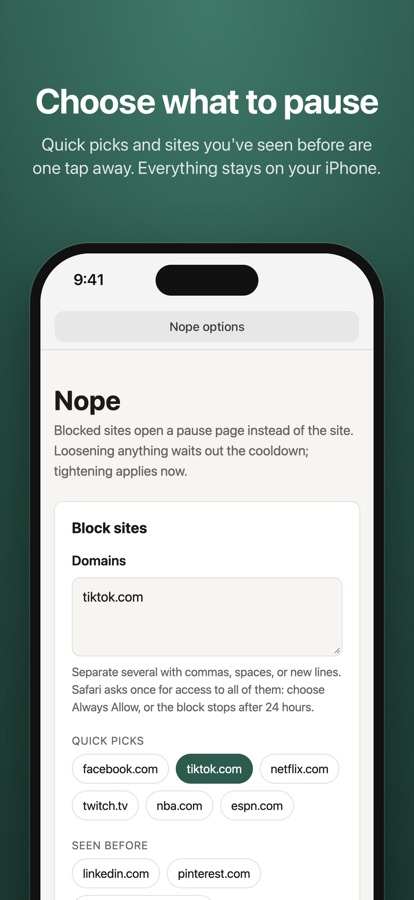
Pick the sites that eat your time, from quick picks or by typing a domain. A block covers www., mobile, and every other subdomain.
Pause
Open one, and Nope sends it to a pause page showing the first thing on your own to-do list. Leaving takes one tap.
Decide
Really need it? Wait out a short countdown, then open the site for a few minutes out of a daily allowance. When the time is up, it goes back to the pause page.
Changing your mind works one way
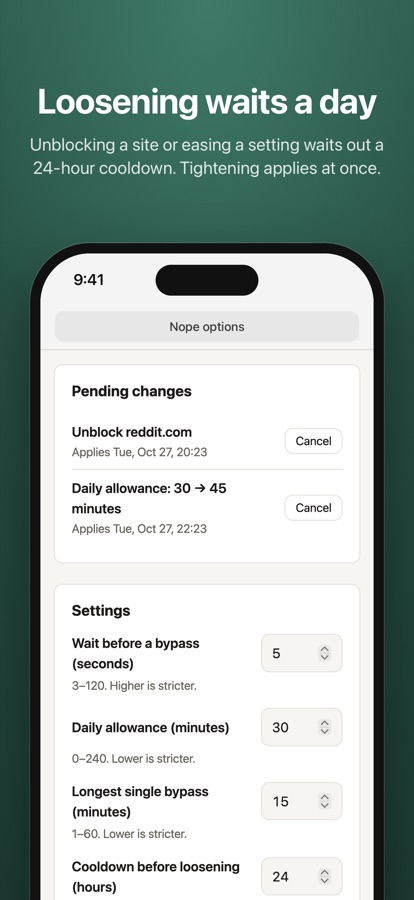
Tightening applies at once: add a site, shrink the allowance, lengthen the wait. Loosening waits out a cooldown, 24 hours by default, so a weak moment can't undo a decision you made with a clear head.
What you get
- A pause page that shows “Do this instead” from your own to-do list
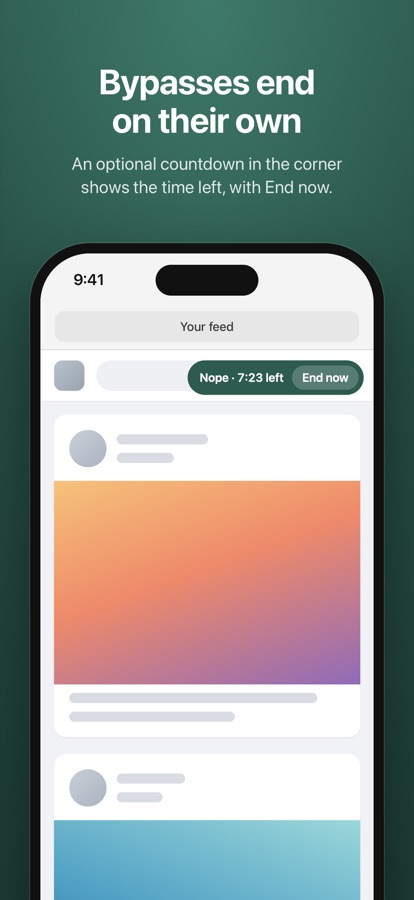
- Bypasses that end on their own, from a daily allowance with the reset time shown
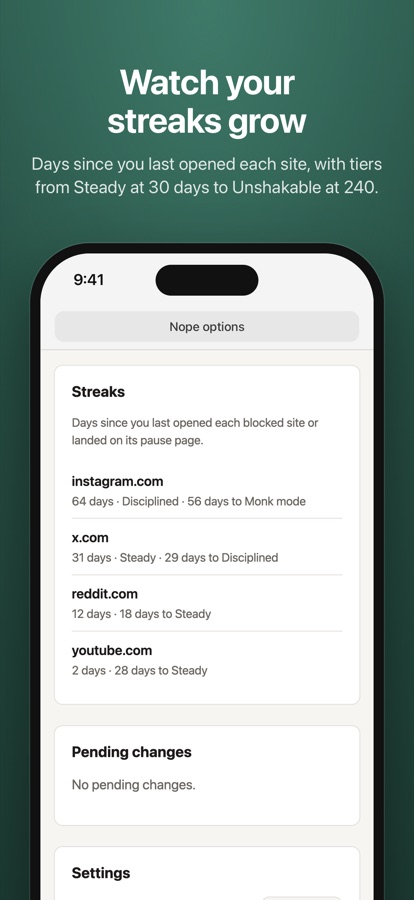
- Streaks for each blocked site, with tiers at 30, 60, 120 and 240 days
- Quick picks and sites you've seen before, one tap away when you block
- An optional countdown in the corner of a site while a bypass runs, with End now
Nope works only in the browser you add it to: Safari on iPhone, iPad and Mac, or Chrome on a computer. Like any extension, it can be turned off in the browser’s settings: it is a speed bump for habits, not a parental control. Questions? See Support.